GST Invoice Format in Excel, PDF & Word — Free Download 2026 (CGST/SGST Ready)
Download GST-compliant invoice format — free Excel, PDF & Word for 2026. With HSN, CGST/SGST/IGST split, round-off & signature. Plus 30-sec auto version in BikriBook.
Platform Owner · · 3 min read
Still making GST bills in Excel manually? You’re 30 seconds slower per bill than competitors.
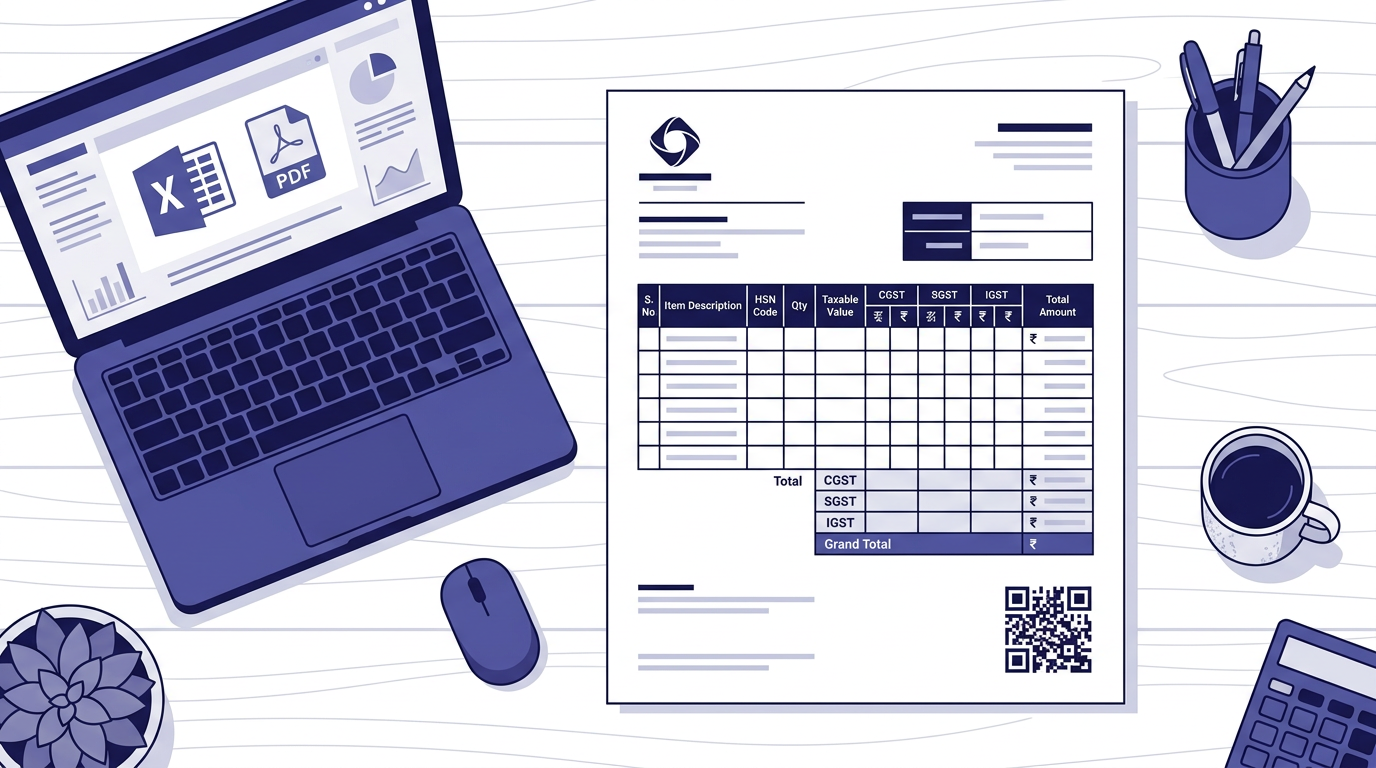
A compliant GST invoice format isn’t just columns — it’s HSN, place of supply, correct CGST/SGST/IGST split and round-off exactly as Rule 46 demands. Below are free Excel/PDF/Word formats 2026-ready, plus how to never type them again.
📥 Quick download: Quick download: Use our free GST Invoice Generator → pick Excel/PDF → download. bikribook.com/tools/gst-invoice-generator
01 Pakka Bill = GST Tax Invoice (Rule 46)
If you’re GST-registered, any sale to a customer = tax invoice (pakka bill). Unregistered or composition dealers issue Bill of Supply (no GST charged). See our pakka vs kaccha bill guide for the difference.
9 mandatory fields (check your format has all 9):
- 1. Your business name, address, GSTIN & State code
- 2. Invoice number (unique, 16 chars max, consecutive) & date
- 3. Customer name, address, GSTIN (if registered) & Place of Supply
- 4. HSN/SAC code per item (4 or 6 digits as per turnover)
- 5. Description, quantity, unit, rate, discount
- 6. GST rate & amount — split as CGST+SGST (intra-state) or IGST (inter-state)
- 7. Taxable value & total (with round-off)
- 8. Reverse charge yes/no, export/LUT if applicable
- 9. Signature of authorized person (physical or digital) — you can upload image in BikriBook.
02 Which File Format Should You Use?
Format | Best for | Pros | Watch out |
Excel (.xlsx) | Editing, totals auto-calc | Formula for GST, easy to duplicate | Can be edited by receiver — send PDF final |
Sharing/printing final bill | Non-editable, professional, QR prints sharp | Need Excel/Software to edit next time | |
Word (.docx) | Printed letterhead design | Flexible header/font for branding | No formulas — manual total errors |
Recommendation for 2026: Download Excel for draft → Save final as PDF with e-Invoice QR via BikriBook → Share on WhatsApp with UPI QR.
03 Excel GST Invoice Format — What’s Inside (2026)
- Header with logo, GSTIN, MSME fields
- Ship-to / Bill-to with GSTIN validation (checksum)
- Line items: HSN/SAC → Rate autofill 0/5/12/18/28 → Qty → Taxable → GST split
- Footer: Round-off, Total in words, Bank + UPI ID, Terms, Signature
- Separate sheet for GSTR-1 export (B2B, B2CS, HSN summary)
04 CGST+SGST vs IGST — Pick in 2 Seconds
Seller State | Buyer State (Place of Supply) | Use | Example ₹10,000 @18% |
Maharashtra (27) | Maharashtra (27) | CGST 9% + SGST 9% | ₹900 + ₹900 |
Maharashtra (27) | Delhi (07) | IGST 18% | ₹1,800 IGST |
Gujarat (24) | SEZ / Export + LUT | IGST 0% (LUT) | ₹0, report in shipping bill |
Place of Supply = buyer’s address GSTIN. BikriBook reads the first 2 digits of the GSTIN (state code) and switches CGST/SGST ↔ IGST automatically — no manual toggle.
05 How to Create GST Bill in 30 Seconds (Without Excel Formula Errors)
Step 1: Pick Customer — GSTIN auto-fills state
Step 2: Pick Item — HSN, rate, unit auto-fills; add qty/discount
Step 3: Preview → Save — CGST/SGST or IGST splits, round-off & total in words auto.
Step 4: Share: — One-tap WhatsApp (public link, no login) + UPI QR pre-filled amount → customer pays from same message. PDF download/email also 1-click.
Step 5: For B2B — click Generate IRN → signed QR prints on PDF + e-Way Bill ready.
06 Common Mistakes That Get Invoices Returned by CAs
- Duplicate invoice number — keep GST and non-GST series separate (GST/001 vs RET/001)
- Wrong place of supply — billing Delhi but using CGST/SGST because your shop is in UP
- HSN 2-digit chapter only — portal rejects IRN if you put “61” not “6109”
- Missing LUT number on export invoice → customs hold
Want a format that never fails? Download free GST formats (Excel/PDF/Word)
Create compliant bills in BikriBook — 14 days free, no card
Related: HSN Finder • All Invoice Formats • GSTIN Validator
Frequently asked questions
- What must a GST invoice contain?
- As per Rule 46: your GSTIN, invoice number & date, customer GSTIN & place of supply, HSN/SAC, item description, quantity, rate, discount, GST rate & amount split (CGST+SGST or IGST), total, and signature. For exports/LUT — mention accordingly.
- Which format is best — Excel, PDF or Word?
- Excel is best for editing & auto-totals. Word is good for printed letterhead. PDF is best for sharing/printing the final. For e-Invoice, the portal needs JSON — BikriBook converts automatically.
- How to decide CGST+SGST vs IGST on the format?
- Within the same state → CGST+SGST (half-half). To another state/UT or export → IGST (full rate). BikriBook reads the GSTIN state code and splits automatically.
- Can I use the same invoice number series for non-GST bills?
- Keep separate series: e.g., GST/2026-27/001 for tax invoices, RET/001 for non-GST bills. BikriBook maintains separate numbering automatically.
- Is signature mandatory on GST invoice?
- Yes — authorized signatory / digital signature is mandatory. You can upload a signature image in BikriBook → it prints on every PDF.