How to Generate E-Way Bill Online Step-by-Step (2026): Portal + 1-Click from IRN
Complete 2026 guide to generate e-way bill — ₹50K limit, validity by distance, documents needed, portal steps, and how to create it in 1 click from your e-invoice IRN in BikriBook.
Platform Owner · · 4 min read
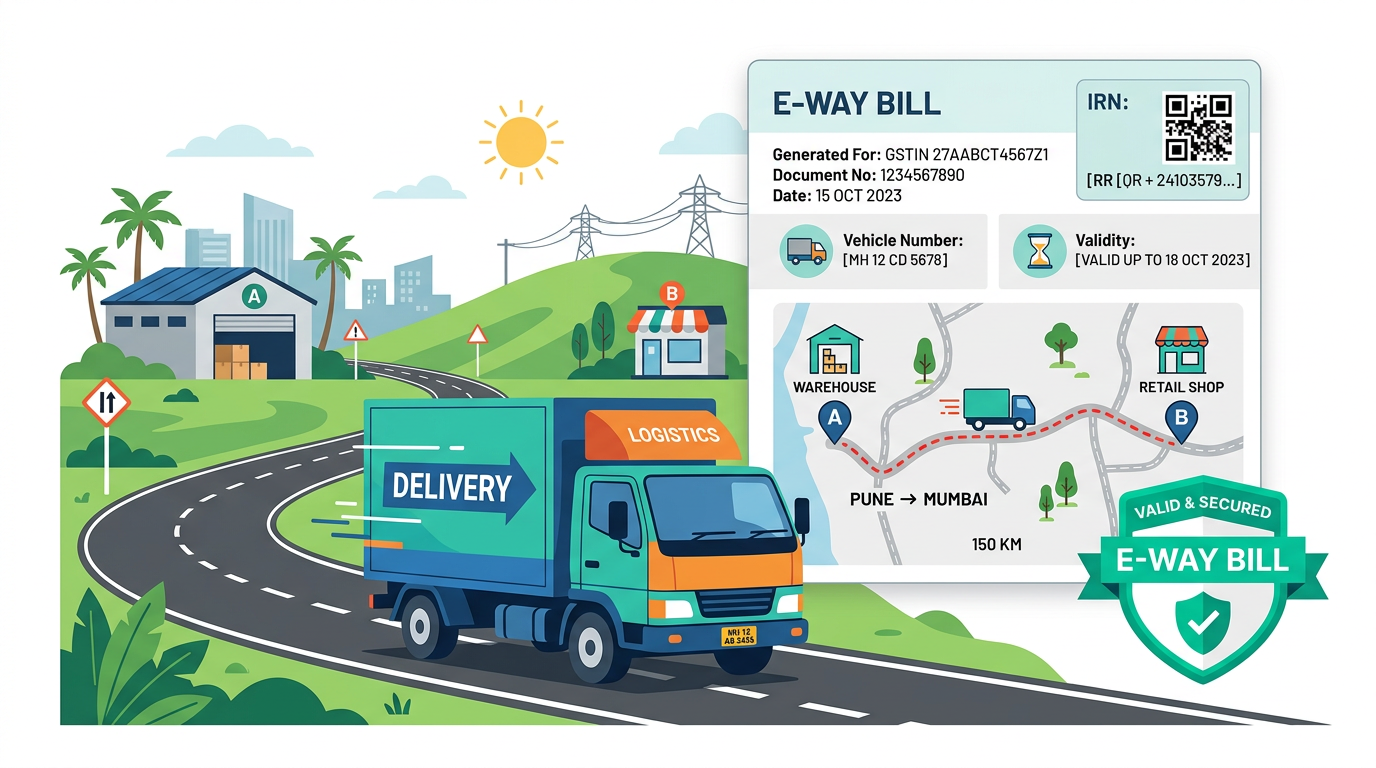
If your bill is ₹50,001 and your truck moves without an e-way bill, the goods can be seized at the next checkpost.
Since 2018, e-way bill is compulsory for moving goods — and since 2023 it’s linked to e-invoice IRN. Here’s the simplest step-by-step for 2026, on the government portal and in 1 click inside BikriBook.
01 What is E-Way Bill & Who Needs It?
E-Way Bill = Electronic way bill under GST for movement of goods. You need it when:
- Consignment value > ₹50,000 (taxable value + GST, not just taxable),
- Movement is inter-state OR intra-state >50km (some states waive intra-state below threshold — Delhi, MP intra-state exempt; UP/Maharashtra require),
- Transport is by road, rail, air or ship.
Who generates? Seller (you) before movement. If not, buyer or transporter can. Registered person or transporter with GSTIN can enroll as transporter.
02 Limit & When It’s NOT Needed
Situation | E-Way Bill? |
Value < ₹50K (except handicrafts inter-state) | Not mandatory (but recommended) |
Intra-state <50km within same state delivering by own vehicle (some states) | Part-B not needed initially, but Part-A must still be generated if >₹50K — check your state rule |
LPG, petroleum crude, alcoholic liquor, non-GST goods | Not covered under GST e-way bill (state rules may apply) |
Distance <10km to weighbridge (Madhya Pradesh etc.) | Part-B can be updated later |
03 Documents You Need BEFORE Generation
- Tax invoice / Bill of Supply / Delivery Challan with HSN, GSTINs, value
- Transporter ID (GSTIN) or Vehicle number (if moving by own vehicle)
- Distance (km) — auto-calculated on portal from PIN codes
- If IRN already generated → IRN number + date auto-fills Part-A → skip typing
04 Method 1: Generate on Government Portal (ewaybillgst.gov.in) — 7 Steps
- Login → ewaybillgst.gov.in → Login with GSTIN → Password + OTP
- Generate New → E-Waybill → Generate New
- Part-A Fill: Transaction type (Outward/Inward), Sub-type (Supply, Export, SKD etc.), Document type (Tax Invoice), Number & Date, Customer GSTIN & PIN, HSN, Value (taxable+GST), Tax split.
- Transporter: Enter Transporter ID (if via transporter) OR Vehicle number + transporter doc no. + distance. Part-B needed before movement.
- Submit → E-Way Bill number (EBN) generated (12 digits) — Print/download. Show to transporter + driver.
- Consolidated E-Way Bill: If multiple e-way bills in one truck → Generate Consolidated → add all EBNs → one paper.
- Extend/Cancel: Before expiry → Extend validity (+ distance). Within 24h → Cancel if goods not moved.
Tip: Distance is auto-suggested from PINs — but you can enter actual road km (portal allows up to 10% variance). Keep screenshots for 3 years.
05 Method 2: Generate from IRN in BikriBook in 1 Click (Recommended)
If you already use BikriBook e-Invoicing, you never type twice:
- 1. Create GST invoice → Click Generate IRN → Signed QR appears on PDF
- 2. On same invoice, click Generate E-Way Bill → Add Transporter ID, Vehicle No., Distance
- 3. Submit → E-Way Bill prints on same PDF (IRN + e-way bill QR together)
Benefits: No portal hopping, no Part-A re-entry, IRN Part-A auto-validated, error check (“Vehicle number format invalid”) before submission, consolidated bill support.
06 Validity in 2026 (Distance vs Days)
Distance | Normal Cargo | Over-dimensional Cargo |
Up to 200 km | 1 day | 1 day |
201–400 km | 2 days | 10 days |
401–600 km | 3 days | 15 days |
601–800 km | 4 days | 20 days |
Every 200 km after | +1 day | +1 day per 20 km |
Validity from generation time. Expired → goods can be detained. Use Extend E-Way Bill within 8 hours before/after expiry with reason.
07 E-Way Bill vs E-Invoice — Quick Difference
E-Invoice (IRN) | E-Way Bill | |
What | Invoice registration on NIC portal — IRN + signed QR | Movement permit — EBN + Part-A/B |
Threshold | Turnover > ₹5 Cr (B2B), voluntary below | Value > ₹50K |
Needed for | Proving invoice authenticity, GSTR auto-fill | Moving truck past checkpost |
Can create EWB from IRN? | Yes → IRN Part-A → EWB Part-A auto | Needs IRN data if IRN exists |
08 Penalty Without E-Way Bill
Section 129 GST: Tax + 200% penalty of tax payable. Example: goods ₹1L @18% = ₹18K tax → penalty ₹36K, vehicle detained until paid. Section 130 confiscation if not paid in 7 days. Don’t risk a ₹36K penalty to save 2 minutes.
Move goods daily? Create e-Way Bill from IRN in BikriBook in 1 click → IRN + EWB on one PDF, WhatsApp to transporter.
Check also: E-Invoice Status Tool • e-Invoicing IRN Guide
Frequently asked questions
- What is the limit for e-way bill generation?
- E-way bill is mandatory if consignment value exceeds ₹50,000 (taxable value + GST). No e-way bill is needed below ₹50K, except for inter-state movement of handicrafts and some notified goods.
- What is the validity of an e-way bill in 2026?
- 1 day per 200 km (or part thereof). E.g., 0-200 km = 1 day, 201-400 km = 2 days. For over-dimensional cargo: 1 day per 20 km. You can extend it within 8 hours of expiry.
- Can I generate an e-way bill from an e-invoice IRN?
- Yes — easiest method. In BikriBook, after IRN is generated, click 'Generate E-Way Bill' → add transporter/vehicle/distance → IRN Part-A auto-fills. No re-typing needed.
- Can an e-way bill be cancelled?
- Yes, within 24 hours by the creator, unless it has been verified by an officer. Use the portal or BikriBook → E-Way Bill → Cancel.
- What is the penalty for moving goods without an e-way bill?
- Under Section 129, penalty = 200% of tax payable (or 100% if you pay tax on detention). The vehicle can be detained/seized.